
September 23, 2026 · 12 min read
AI PDF Reader Tested: UPDF on Papers and Reports
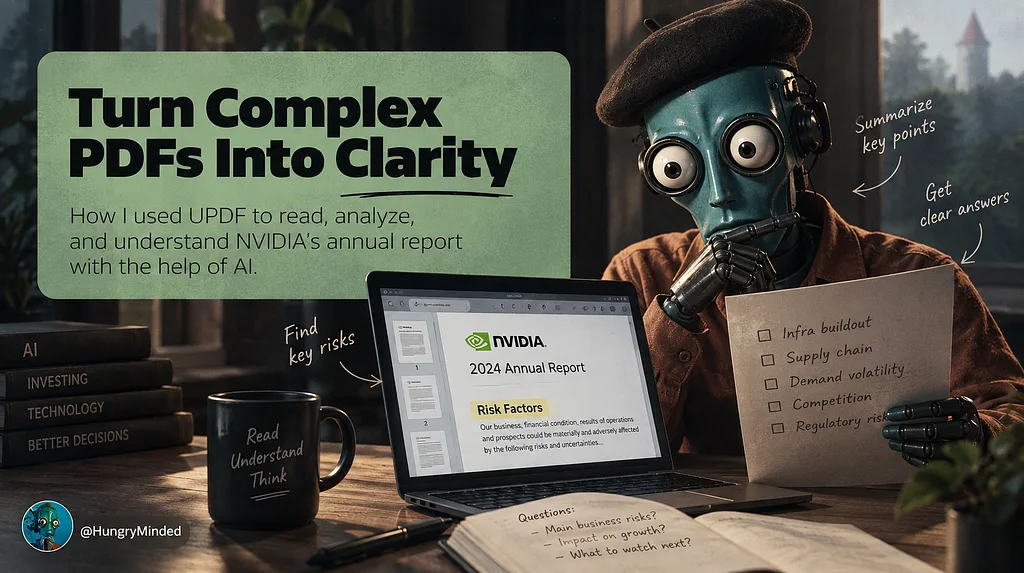
In partnership with UPDF, I tested an AI PDF reader on a research paper and NVIDIA's annual report, focusing on summaries, questions, and checking cited source pages.
Kagi is a privacy-focused search engine with AI-assisted answers, summarization, and research features for users who want cleaner results than ad-driven search. It combines traditional web search with tools such as Quick Answer, Universal Summarizer, lenses, and customizable result ranking so researchers can cut through SEO spam and get to useful sources faster. Kagi is built for professionals, developers, writers, and knowledge workers who search all day and care about speed, relevance, and privacy. Its paid, ad-free model is the differentiator: instead of monetizing attention, Kagi gives users more control over sources, filters, and interface behavior while layering AI where it can genuinely reduce search friction.
Reader rating
No ratings yet
You might also like
codemap is an MIT-licensed project brain for AI coding tools that gives LLMs instant architectural context from your codebase without burning tokens. It generates a fast tree/context view, dependency flow, dependency blast-radius analysis, and a layered handoff format for cross-agent continuation, then exposes everything through a JSON context bundle and an MCP server compatible with Claude Code and Codex. A built-in Codex plugin and community skill registry make it easy to install and share. Developers use codemap to onboard agents to large repos in seconds, keep session continuity across handoffs, and scope the impact of a change before running it.
Type.com is a multiplayer AI workspace where teams collaborate with Claude, Codex and other models in a shared company context. It brings conversations, files, skills, integrations and automations into collaborative Spaces instead of leaving useful work trapped in individual chat windows. Marketing, sales, support and operations teams can tag Type from Slack or email, share access through role-based permissions, and build custom dashboards or internal apps grounded in company knowledge. Type also supports OAuth, MCP and API connections, with granular controls for users and spaces. It is notable now because its Product Hunt launch presents a practical answer to the coordination problem emerging as teams adopt multiple coding and general-purpose agents. The official site confirms a shipped cloud workspace with desktop and mobile access, not merely an agent concept.
FileForge Finder is an AI-powered local file search utility that optimizes search results for developer workflows. It uses natural language processing to understand query intent and prioritize relevant files, code snippets, and documentation. The tool integrates with popular IDEs and terminals to provide instant, context-aware file retrieval, reducing time spent navigating complex project structures. It supports multiple file formats and offers advanced filtering by content type, modification date, and relevance.
From the blog
In partnership with UPDF, I tested an AI PDF reader on a research paper and NVIDIA's annual report, focusing on summaries, questions, and checking cited source pages.

Engram shows why the next AI advantage may come from memory, routing, and runtime design rather than bigger models alone…
Claude’s persistent Projects point to the next AI product shift: delegated work that continues after you leave. The real feature is not autonomy, but evidence, review, and approval…